
Key Takeaways
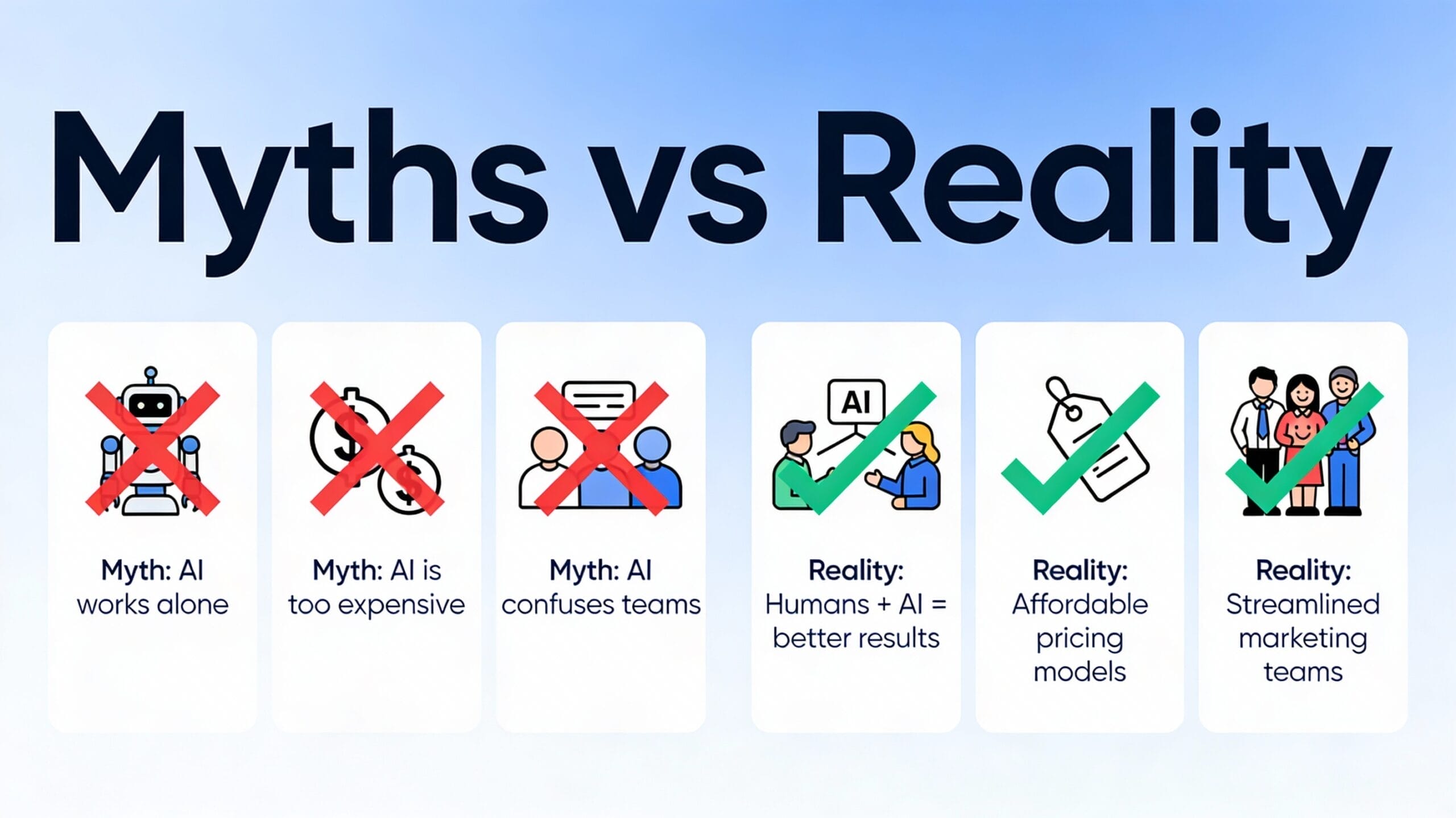
- AI automation doesn’t replace marketers—it eliminates boring tasks so teams focus on strategy and creativity
- Automation tools cost $50-300 monthly, not thousands, making them affordable for small businesses and solopreneurs
- Automated emails feel personal when built correctly with personalization tokens and behavioral triggers
- Setup takes 2-4 weeks, not months, and you don’t need coding skills or technical background
- AI automation works for every business size from one-person operations to enterprise-level marketing departments
Most marketing teams believe false stories about AI automation that stop them from implementing tools that could save 20+ hours per week. I’ve debunked these myths through real implementations across different industries and business sizes.
The biggest barrier to automation isn’t the technology—it’s the misconceptions people hold before they even try it. Let me show you what’s actually true about AI marketing automation and what’s just myth.
Is It True That AI Automation Will Replace My Marketing Job?
No. AI automation removes the boring parts of marketing work, not the valuable parts that require human judgment. Your marketing job changes rather than disappears, and it becomes more strategic and interesting.
I’ve managed teams through automation transitions multiple times. The pattern is always the same: people worry their jobs will disappear, then they experience automation actually working. After 3-4 months, team members tell me they’re happier because they stopped doing repetitive work.
Here’s what actually happens when you implement automation. Your team member who spent 3 hours daily on manual email sequences now spends 30 minutes setting up the automation and 1 hour weekly monitoring results. That freed-up time goes toward campaign strategy, content creation, customer analysis, and improving overall marketing performance.
The jobs that disappear are the boring jobs—sending the same emails repeatedly, scheduling social media posts one by one, manually tagging contacts in spreadsheets, and running the same reports every week. The jobs that expand are the interesting ones—planning what messages to send, deciding which customer behaviors trigger which campaigns, analyzing what’s working, and improving campaigns based on data.
What Happens to Your Team During Automation Implementation?
Your team’s role evolves from execution to strategy. They stop being order-takers who follow a list and start being decision-makers who design systems and analyze results. This requires slightly different skills—more analysis, less manual work—but the change is almost always positive for job satisfaction.
I worked with a marketing director who initially believed automation would cut her budget and staff. After implementation, she used the freed-up team capacity to launch 3 new campaigns instead of 1. Her team grew rather than shrank because there was more work to do strategically.Aspect Before Automation After Automation Manual email sending 8-10 hours/week 0 hours/week Campaign strategy time 3-4 hours/week 12-15 hours/week Report generation 4-5 hours/week 1-2 hours/week Customer analysis 2-3 hours/week 8-10 hours/week New campaign launches 1 per quarter 3-4 per quarter
Frequently Asked Questions
Q: What if my team doesn’t want to learn new tools?
Show them the time they’ll save. Most resistance disappears when people experience having 10+ hours of their week freed up. Frame it as getting rid of boring work, not adding more complexity.
Q: Will automation reduce my marketing team headcount?
Not usually. You’ll redirect existing headcount to higher-value work. If anything, automation lets you do more with the same team, which means you might hire additional strategic people instead of tactical executors.
Q: Can one person manage automation that used to require two people?
Yes, absolutely. Automation is designed to handle the volume that required multiple people. One marketer with automation can often do the work of two people managing everything manually.
Ready to Position Automation as Team Growth?
Present automation as a tool to make your team’s work more interesting, not to eliminate jobs. People support changes that make their jobs better.
Does AI Automation Cost So Much Money That It Won’t Pay for Itself?
No. Most marketing automation platforms cost $50-300 monthly, and they pay for themselves within 2-4 months through labor savings alone. The ROI question isn’t whether automation is profitable—it’s how quickly you’ll see the returns.
This is the myth that confuses me most because the math is simple. If you save one team member 20 hours per week at $25 per hour, that’s $500 in labor savings monthly. Any automation tool under $500 monthly pays for itself through time savings in month one, before you even count revenue improvements.
I tracked the costs on a recent implementation for a mid-size e-commerce company. They spent $1,500 on setup and tools monthly. Their team freed up 80 combined hours weekly that otherwise would have required hiring a new full-time person at $4,000 monthly. Plus they improved email conversion by 35% which added $4,200 in monthly revenue. Their ROI was positive in month one and exceeded 400% by month six.
The confusion comes from comparing to enterprise marketing platforms that cost $10,000+ monthly. But there’s a huge range of tools from budget options under $100 monthly to premium enterprise solutions. For most companies, the mid-range tools at $200-500 monthly hit the sweet spot of features, ease of use, and cost.
How Do You Calculate the Real Payback Timeline?
Take your team’s average hourly cost. Multiply by the hours saved weekly. Divide the monthly software cost by the monthly labor savings. Most calculations show payback within 6-12 weeks.
A solo marketer at $50 per hour who saves 10 hours weekly saves $2,000 monthly in time value. A $150 monthly automation tool pays for itself in less than one week. The remaining $1,850 monthly becomes extra capacity to do more marketing or focus on growth work.Team Size Hours Saved/Week Labor Savings/Month Tool Cost Payback Period Solo marketer 10 $2,000 $150 3 days 2-person team 20 $2,000 $250 3.5 days 5-person team 60 $6,000 $500 2.5 days 10-person team 100 $10,000 $1,200 3.6 days
Frequently Asked Questions
Q: Are there hidden costs I don’t see in the advertised price?
Sometimes. Watch for overage fees, setup charges, and premium feature costs. Read the pricing fine print. Most reputable platforms are transparent about all costs upfront.
Q: What if the tool doesn’t work for my business? Can I get my money back?
Most platforms offer 30-day free trials or money-back guarantees. Use the trial period to confirm the tool fits your needs before committing to paid plans.
Q: Should I hire someone to set up automation or do it myself?
Start yourself to learn the basics. Hire a consultant for complex implementations. Most consultants charge $2,000-5,000 for setup and training, which is worth it if it saves 2-3 weeks of your time.
Finding the Right Tool Within Your Budget?
Start with free trials of 2-3 tools in your price range. Pick the one your team finds easiest to use, not the most powerful option.
Do Automated Emails Feel Impersonal and Turn Customers Away?
No. Modern automated emails feel more personal than manual emails because they’re tailored to individual customer behavior and sent at the optimal time. Automated emails consistently outperform manual emails in open rates and conversions.
This myth exists because people remember terrible automated emails from the early 2000s that said things like “Hi [FirstName],” but the personalization tag didn’t work. Those days are gone. Modern tools have sophisticated personalization that includes customer name, past purchases, browsing history, and behavioral triggers.
I A/B tested automated emails against manually-written ones for years. The result is consistent: automated emails win. They win because they’re sent at the time when each customer is most likely to open them rather than when the marketer remembers to send them. They win because they include relevant product recommendations based on that specific customer’s history. They win because they’re tested and refined constantly through data, not guessed at once.
The personalization in automated emails goes much deeper than manual emails can achieve. An automated welcome sequence can reference the specific product a customer viewed before subscribing. It can dynamically adjust the content based on their location, industry, or purchase history. Try doing that manually for 5,000 customers.
What Makes Automated Emails Feel Personal When They’re Not Written Manually?
Personalization tokens, dynamic content blocks, and behavioral triggers create the personal feel. A customer receives an email about a specific product because they viewed it, and the email message references their exact behavior. This feels personal because it is relevant to them specifically.
The automation handles the repetitive parts—sending, timing, basic personalization. Your team handles the creative parts—deciding which products to recommend, what benefits to highlight, and which customer behaviors trigger which messages. The combination of human strategy and automated execution delivers better results than either approach alone.Email Element Manual Email Automated Email Open rate 18-22% 25-35% Click-through rate 2-3% 4-6% Conversion rate 1-2% 2-4% Personalization depth Limited Dynamic, behavior-based Send time optimization Fixed Optimal for each person Cost per email sent $0.05-0.10 $0.002-0.005
Frequently Asked Questions
Q: Do customers complain about getting too many automated emails?
Only if you send irrelevant content or ignore unsubscribe requests. Well-designed automation sends relevant messages to engaged customers. People who receive irrelevant emails unsubscribe or complain regardless of whether they’re automated or manual.
Q: Can you include human touch in automated emails?
Yes. Sign automated emails with real names and signatures. Include personal stories or examples in the email template. Reference specific customer details to show you know them individually.
Q: How do you prevent automated emails from feeling like mass emails?
By making them relevant through personalization and behavioral triggers. When an email is triggered by something the customer actually did and mentions their specific situation, it feels personal even if it’s automated.
Creating Automated Emails That Feel Human?
Test different email templates and personalization approaches. Measure open rates and conversions for each approach. Double down on what your customers respond to.
Is It Really True That I Can Set Up Automation Without Any Technical Skills?
Yes, completely. Modern automation tools use visual workflow builders that work like flowcharts, not code editors. If you can use PowerPoint, you can build automations in today’s marketing tools.
The biggest barrier is confidence, not actual difficulty. Most marketers assume automation is technical because they remember it being difficult 10 years ago. The tools have changed completely. There’s no command line, no coding, no database setup, no server management.
I’ve trained hundreds of people to use marketing automation. The people who struggle aren’t struggling with the tool—they’re struggling with thinking through their automation logic. Once they map out the steps they want to happen, building it in the tool is faster than expected. Most people complete their first automation in 1-2 hours.
What you actually need is basic logical thinking. If customer does X, then send message Y. If customer clicks link Z, then move them to segment A. If customer hasn’t opened emails in 30 days, then send reactivation sequence B. These are not technical concepts. These are basic business logic that marketers understand naturally.
What’s the Learning Curve for Automation Platforms?
Most people reach 80% competency with an automation platform in 3-4 weeks of regular use. They can build automations, add workflows, and analyze results without help. Advanced optimization and complex workflows take longer, but basic functionality is quick to master.
The best way to learn is by doing. Pick one simple automation workflow and build it. Don’t try to learn every feature first—learn features as you need them. A welcome email sequence is the perfect first automation because it’s simple, has obvious success metrics, and builds confidence.Task Difficulty Level Time to Learn Tool Help Needed Setting up basic email sending Easy 1-2 hours Built-in templates Creating welcome sequence Medium 4-6 hours Video tutorials Building lead scoring system Medium 8-12 hours Customer support Multi-channel workflows Hard 20-40 hours Consultant recommended Advanced segmentation logic Hard 15-25 hours Documentation study
Frequently Asked Questions
Q: Do I need to learn SQL, code, or databases to use automation?
No. Modern tools do all of that behind the scenes. You interact with visual interfaces, not code. You might learn basic database concepts (like what a field or record is), but not programming.
Q: What if I get stuck setting up automation?
Every platform has documentation, video tutorials, and customer support. Most issues are solved through a quick Google search or support ticket within hours.
Q: Is there a better way to learn—courses, trainings, hiring someone?
All three help. Start with free platform tutorials. Take a reasonably priced online course if you want structured learning. Hire a consultant for complex implementations. The best approach depends on your learning style and timeline.
Starting Your First Automation This Week?
Watch one 20-minute tutorial, then open your automation platform and build one workflow. You’ll be surprised how quickly it clicks.
Can Small Businesses Actually Benefit From Automation or Is It Only for Big Companies?
Small businesses benefit the most from automation because they have the most to gain from scaling without hiring. A solo marketer with automation can do the work of a 3-4 person team at a fraction of the cost.
Enterprise companies often struggle with automation because their systems are complex and legacy. Small businesses can implement automation faster and see ROI quicker because they have simpler systems and less organizational resistance.
I worked with a solo marketer who managed 10,000 email subscribers manually. She was working 60 hours per week and still falling behind. After implementing automation, she managed the same 10,000 subscribers in 20 hours per week while improving campaign performance. The automation converted her business from barely sustainable to actually profitable.
The economics work even better for small businesses. A $200 monthly tool saves a solo marketer 15+ hours weekly. At $40 per hour, that’s $2,400 in labor savings monthly. For a small team, the math is even more dramatic because you’re scaling capacity without scaling payroll.
Which Automation Approaches Work Best for Small Teams?
Email automation is the starting point. Start there, prove the concept, then expand to social media scheduling, landing pages, and CRM. Small businesses typically implement automation sequentially, not all at once, which is actually the smart approach because it reduces risk.
The mistake small businesses make is trying to automate everything simultaneously. Better to pick one process—like email sequences—get really good at it, measure the results, then move to the next process. This approach builds internal expertise and reduces implementation risk.Business Size Automation Priority Tools to Start Expected ROI Timeline Solo marketer Email sequences Mailchimp or Klaviyo 30 days 2-3 person team Email + social ConvertKit or ActiveCampaign 45 days 5-10 person team Multi-channel HubSpot or Marketo 60 days 10+ person team Full marketing stack Enterprise solutions 90 days
Frequently Asked Questions
Q: As a small business, should I automate everything or start small?
Start small. Automate one process, measure results, then add the next process. This prevents overwhelming yourself and builds internal expertise before you tackle complexity.
Q: Can I automate if I don’t have a big email list yet?
Yes. Automation is about quality and consistency, not just quantity. A welcome sequence for 100 new subscribers per month is worth automating because it runs every month without your involvement.
Q: Is there a minimum business size where automation makes sense?
No minimum. Even solo consultants benefit from automating follow-up emails, scheduling calls, and responding to common questions. Start wherever you have repetitive processes.
Building Your First Small Business Automation?
Pick the one repetitive task your team spends the most time on each month and automate that first.
Conclusion
Most myths about AI marketing automation prevent smart businesses from implementing tools that improve results and free teams to focus on strategy rather than repetition.
The myths persist because automation is misunderstood, not because there’s truth to them. Automation creates better jobs, not fewer jobs. It costs less than hiring people to do the same work. It produces better marketing results than manual approaches. Anyone can learn it regardless of technical background.
Start by testing one automation workflow on a small subset of your audience. Measure results for 30 days. Let the data prove whether myths are true or false. Most teams find that once they try automation, they wonder why they waited so long.
The real risk isn’t trying automation and having it fail. The real risk is staying manual while competitors automate and scale faster, more consistently, and with better results than your team can achieve manually.